How to order
You order through BBDbuy, a shopping agent. BBDbuy buys the item from the Chinese seller, checks it in its warehouse and then ships it to you. You pay twice: first for the item, later for shipping.
-
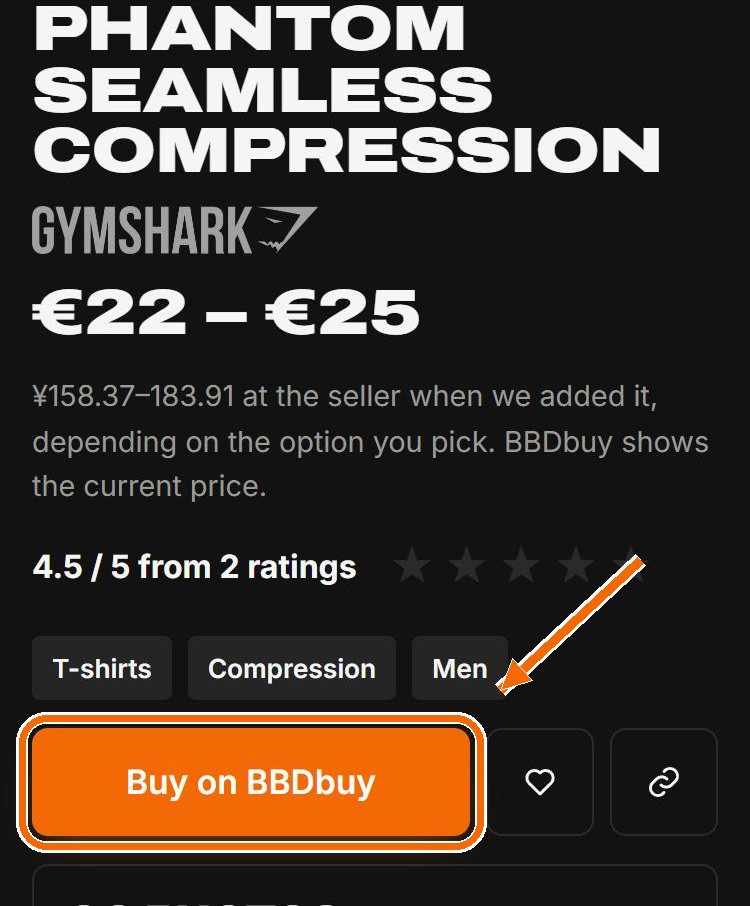
Pick a find and tap Buy on BBDbuy
Open any find on this site and tap the orange Buy on BBDbuy button. The item opens on BBDbuy.
-
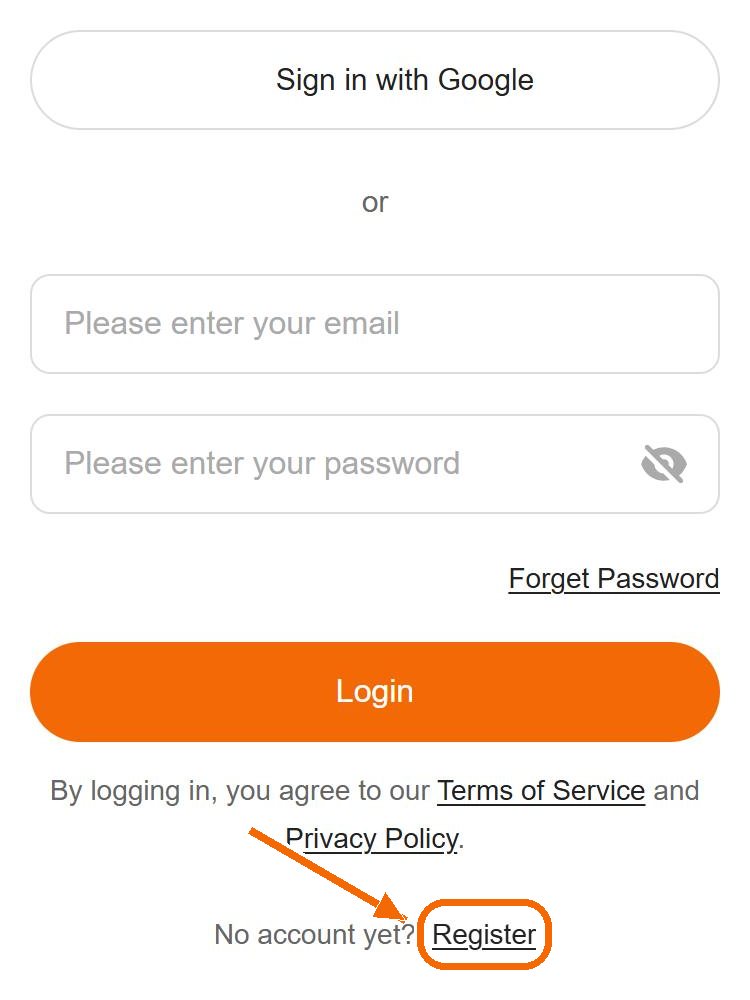
No account yet? Tap Register
BBDbuy asks you to log in first. If you don't have an account, tap Register at the bottom of the page.
Our invite code comes with you, which gives you 30% off shipping.
-
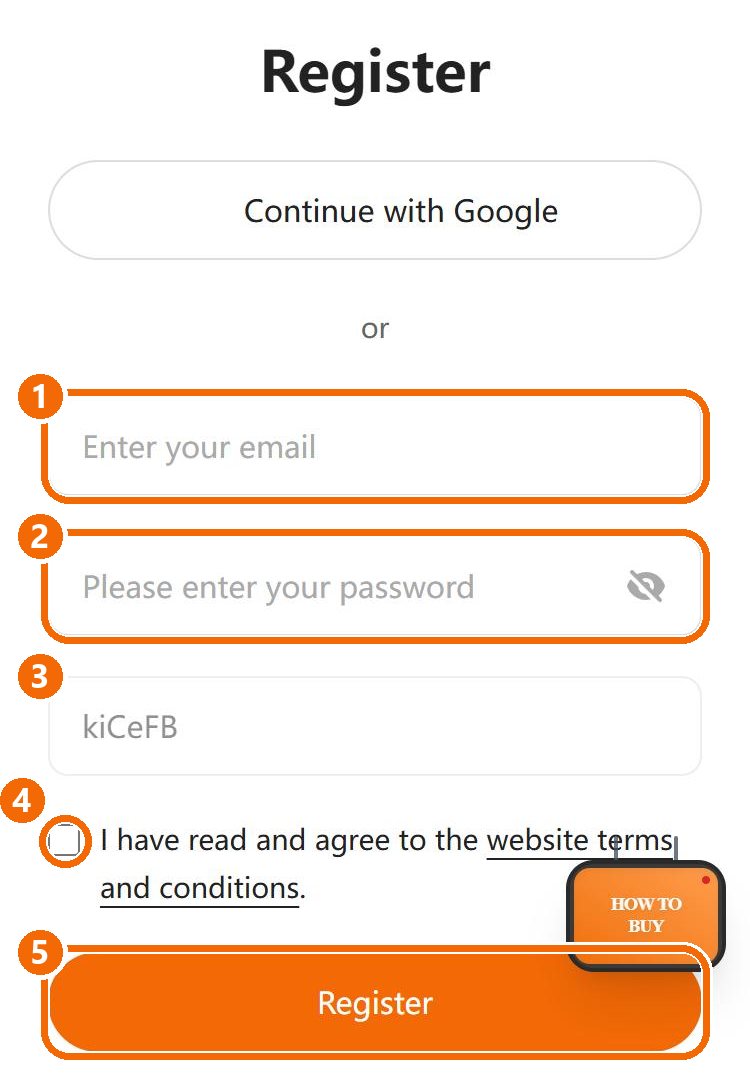
Create your account
- Type your email.
- Choose a password.
- The invite code is already filled in. Leave it.
- Tick the box to accept BBDbuy's terms.
- Tap Register.
BBDbuy then emails you a 6-digit code. Type it in to finish, then open the find again from this site.
-
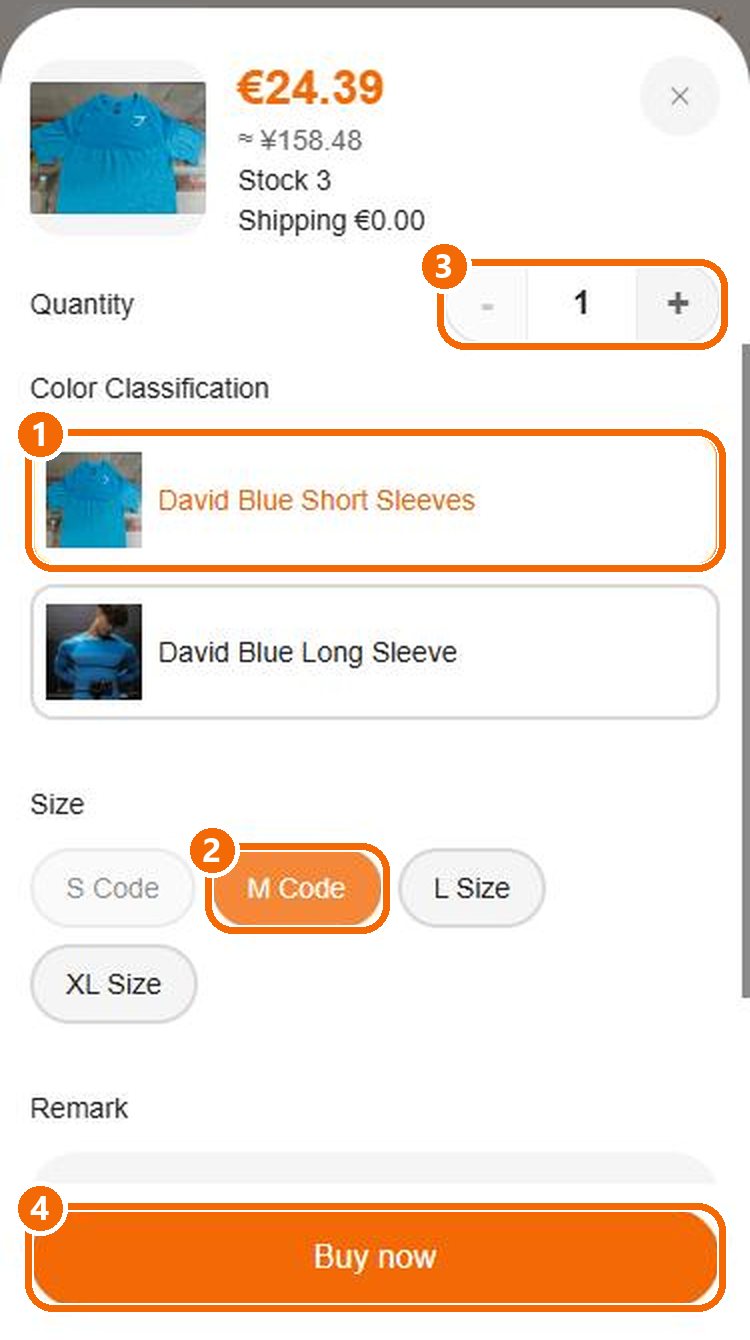
Choose your size and colour
On the BBDbuy item page, tap Buy now, or Add to cart if you want to order more finds first. A panel opens:
- Pick the colour.
- Pick your size.
- Change the quantity if you want more than one.
- Tap Buy now (or Add to cart).
-
Check out and pay for the item
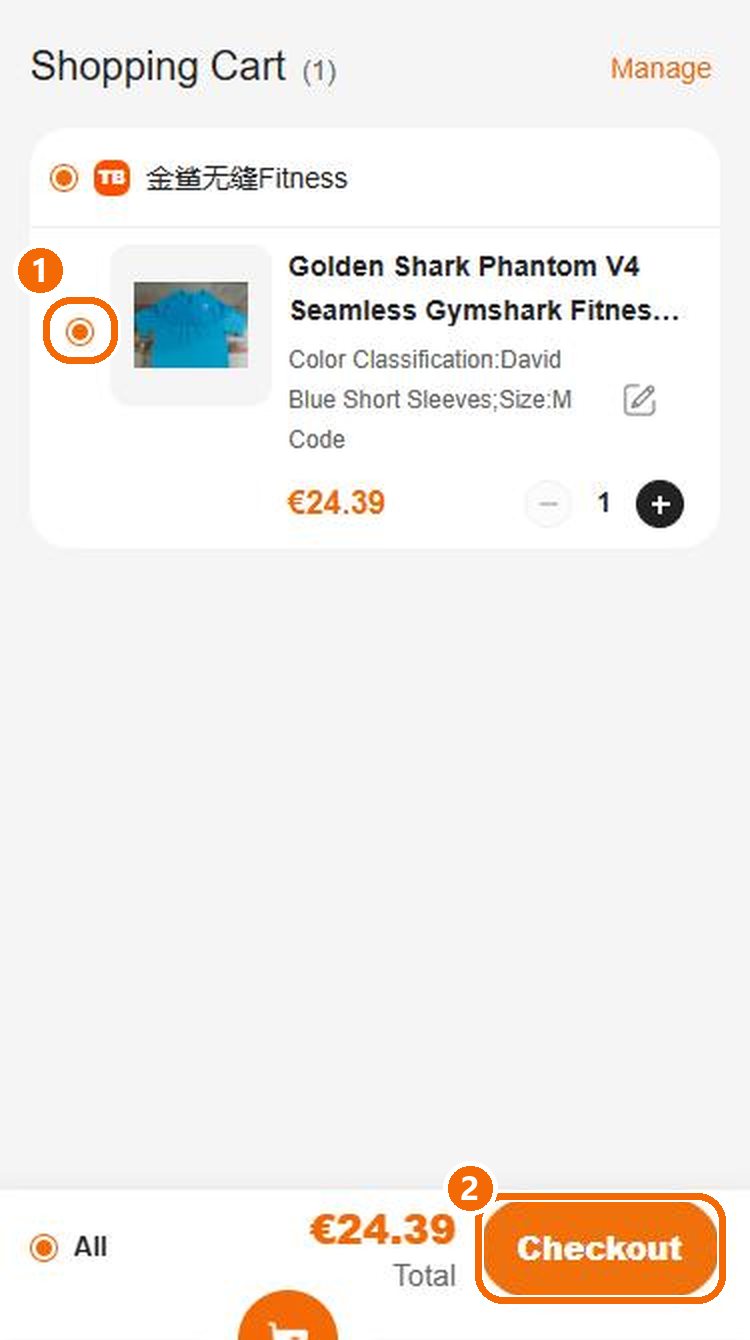
If you used the cart, open Cart:
- Tick the items you want to order. They are not ticked to begin with.
- Tap Checkout.
Check the order, tap Submit order and pay. This first payment covers the item and the seller's shipping to the BBDbuy warehouse in China. International shipping comes later.
-
Wait for it to reach the warehouse
BBDbuy buys the item from the seller. When it arrives at their warehouse, they check it, weigh it and take photos, so you can see the actual item before it ships. Storage is free for 90 days.
-
Ship it home
Go to Warehouse on BBDbuy, select your items and tap Submit Parcel. Add your address, choose a shipping line and pay the shipping.
Ordering several finds? You can wait until they are all in the warehouse and ship them together in one parcel.
-
Track your parcel
BBDbuy packs and ships the parcel. Follow it under your parcel's details on BBDbuy, and confirm when it has arrived.
Shipping weight, fees and returns are covered in BBDbuy's help centre.